Yamaha RXV-473 Reciever: Blinking Red Light
Problem
I kind of jumped headfirst into this one. In the persuit of having a sweet home theater/vinyl setup, I picked up a 'broken' Yamaha RXV-473 reciever and 5.1 speaker set from a couple on Facebook Marketplace. They stated that the speakers worked, but the reciever would only show a blinking red light and display no information. After some quick sleuthing, I saw online that this is typically caused by the electrical protection system kicking in. Most commonly, this happens when the unit gets static shocked, the speaker wires short, or some other internal issue which would require me to open the unit and look around. In my igornace, I hoped that it was one of the first two options. Either of these would simply require a series of button presses to reset the protection circuit and I'd be back in business.
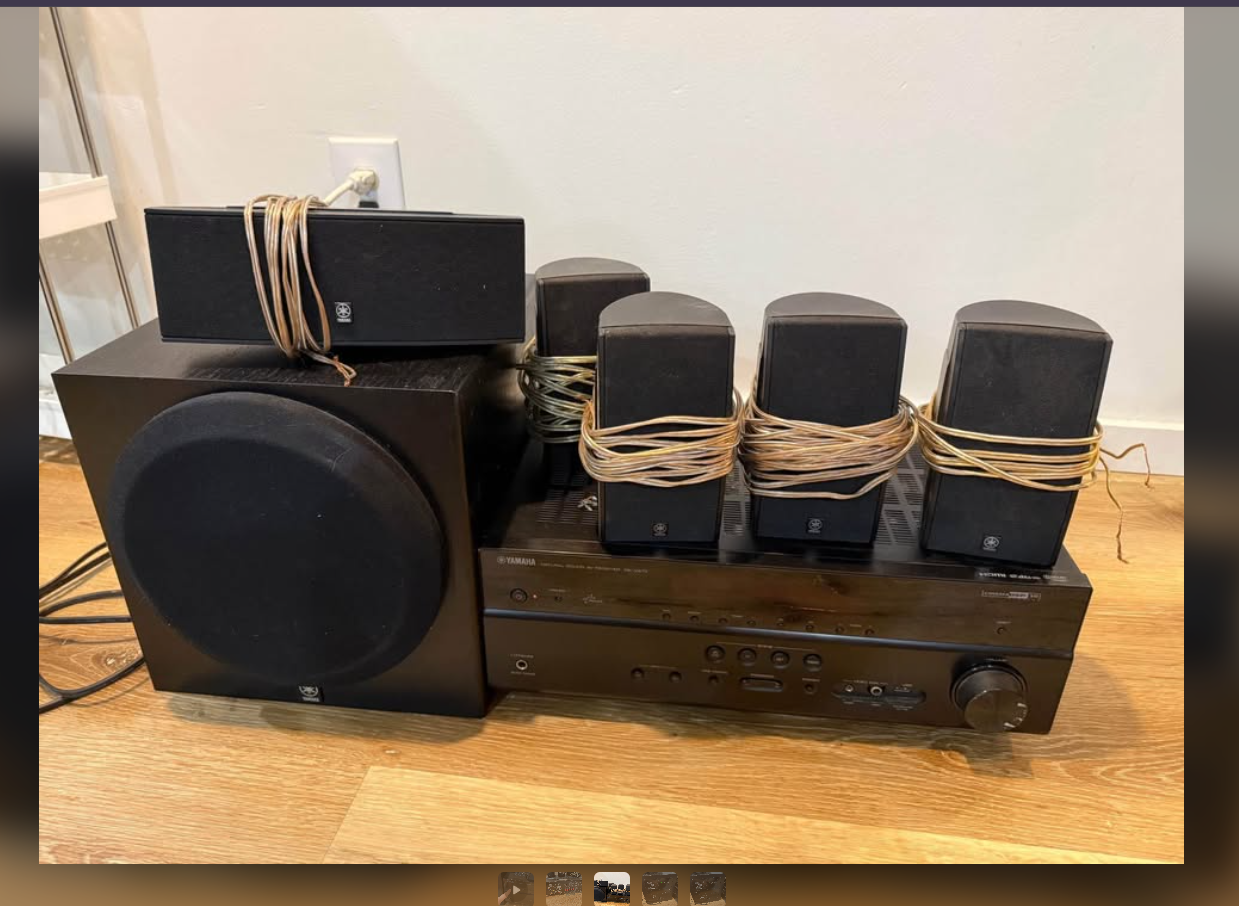
After getting home with the sick new setup and plugging it in (without speakers), I confirmed what they were seeing: I was only getting a blinking red light. In my initial research, I found several videos outlining how to reset this protection system in diagnostic mode. To do so, you hold the 'Tone Control' + 'Info' + 'Power' buttons until the screen turns on. From here, you should see an error message on screen detailing what broke. In my case, I got the following message:
This was suspiciously different than others I saw online (who usually got "DSP THROUGH" or something similar) Another odd behavior I found is that after 'clearing' the electrical protection error and powering the unit into normal mode, it would turn itself off after about 5 seconds. This told me that the protection system was still keeping the system from blowing itself up, and something must be wrong internally.
Troubleshooting
Time to Google! I looked around for any information on what could be causing the behavior I saw, and how it was all connected. Most of what I found was Reddit threads detailing how to do the button combination I already tried, and obscure forums where the OP eventually gave up or took the unit to a service center. I wouldn't do either of these because I'm stubborn and didn't want to spend any more money on this than I had to. And then I found it: The Yamaha RXV-473 Service Manual. Someone had uploaded the whole PDF to a few of those document database websites (i.e. Scribd or Hoopla), and it outlined basically everything I needed to know. To start, I Ctrl+F'd my way through to find the error message I was getting, and found the following info:
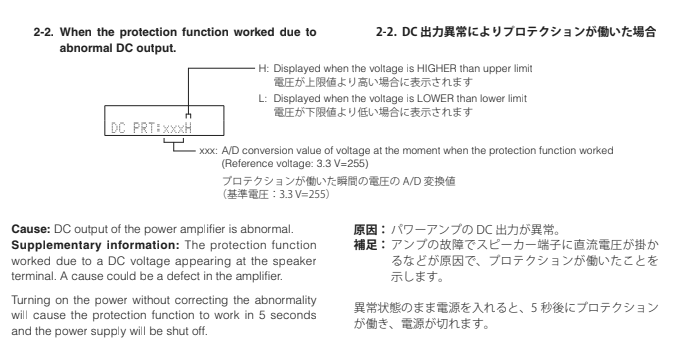
This totally explained why the system was shutting itself off, and gave me an even bigger clue as to why the system was acting up. Further on down the manual, I found that there is an extra power mode that will turn off electrical protections for troubleshooting. To do this, you press the same 'Tone Control' + 'Info' + 'Power' and hold them down for about 5 seconds until you see a flashing 'Sleep' indicator on the screen. Now, the system won't turn itself off. Now, I'm not an electrical engineer. Nor do I really know all that much about voltages, impedance, or any other buzzword - but now was the time to learn because I was gonna have to get my multimeter out. I figured that if there was some kind of output issue I would see it from the speaker outputs since the manual said the error pointed towards an AMP issue, not a digital or RCA issue (which would come from the main board). So I tested each of the speaker outputs while the unit was in non-protection mode, and found that all except the Surround Right (SR) channel was reading 0V. The SR channel, however, read 50V. I'm really glad I didn't try plugging in the speakers.
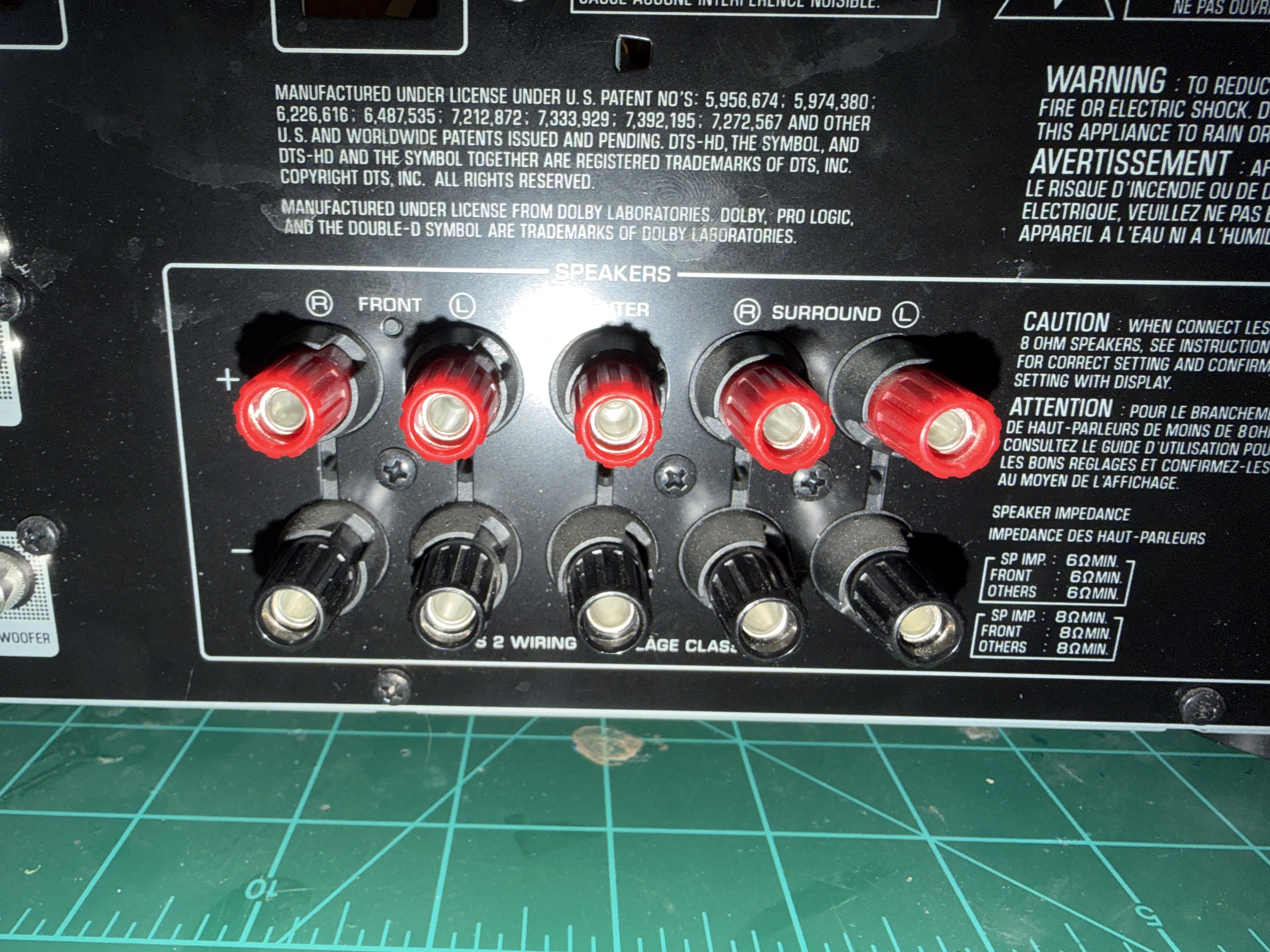
The next step was checking out the schematics and tracking down what was going on. Luckily, knowing that it was the SR channel was a huge help, as each channel had its own independent trace from the amplifier that was clearly marked on the board and in the schematics.
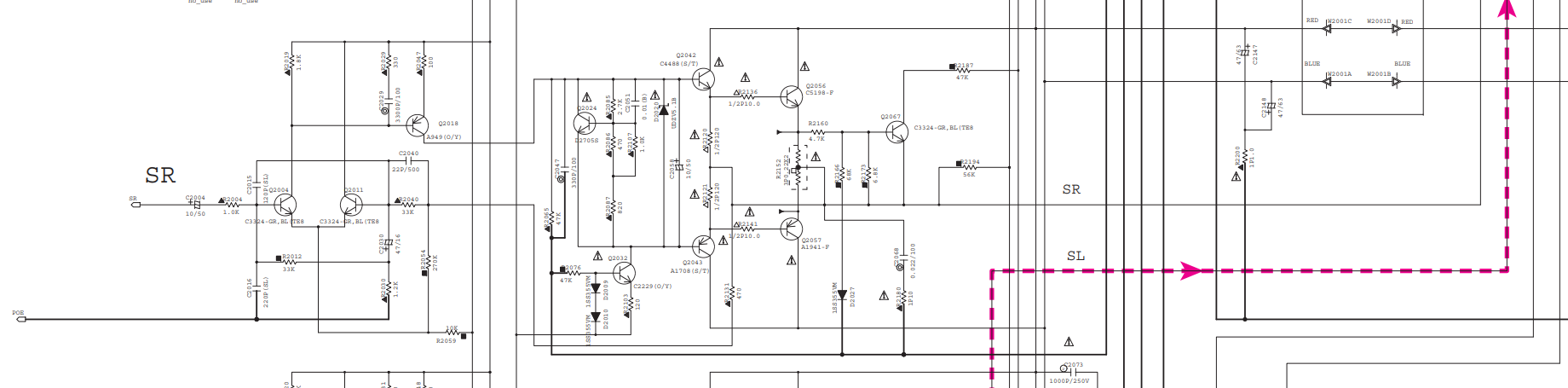
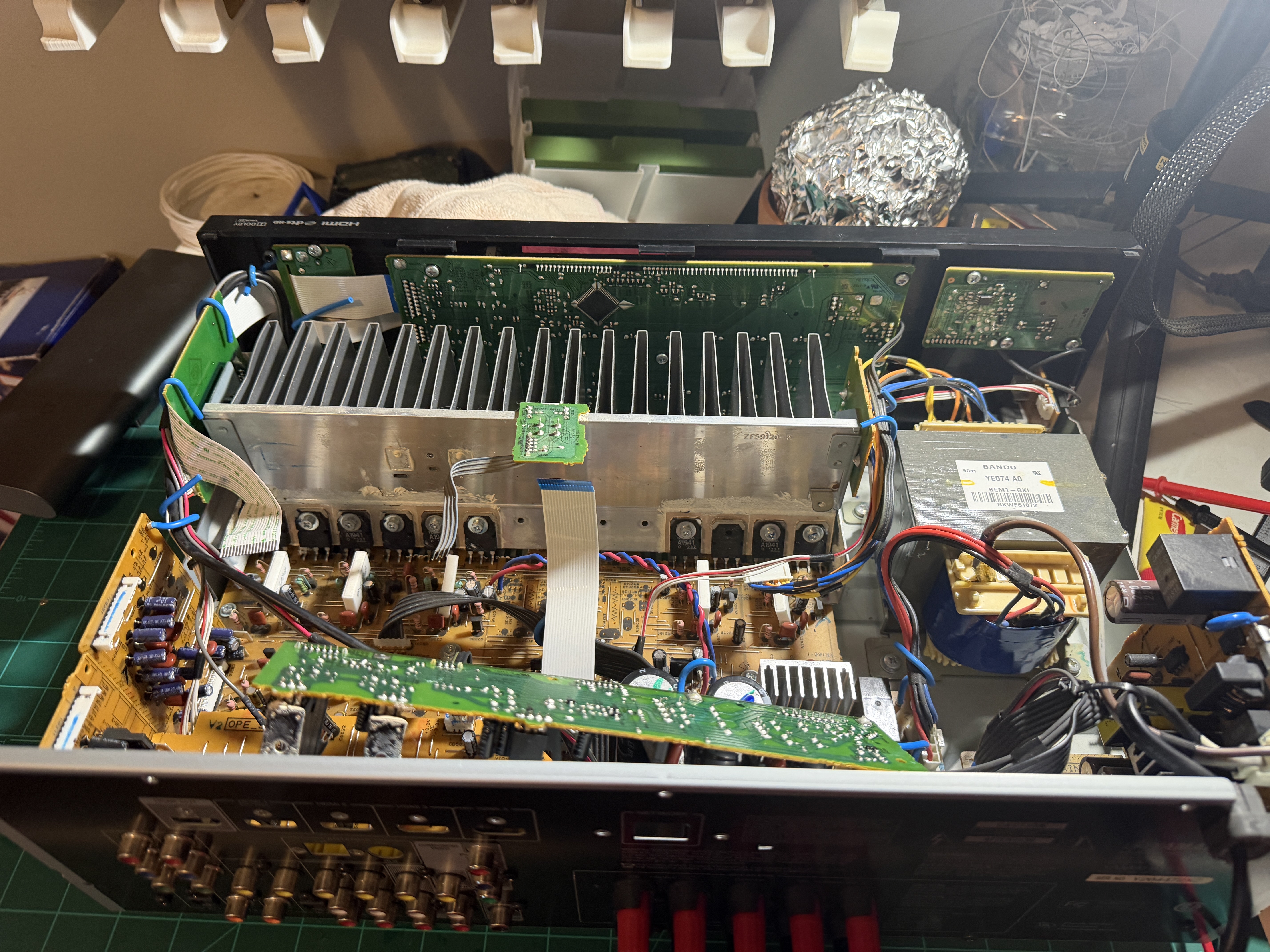
I poked around the board testing random components here and there, but found nothing obviously wrong. I also compared components on the SR channel to other working channels and saw no differences in my initial hunt. After some more Ctrl+F'ing in the Manual, I found another clue that would ultimately point me to the root cause:
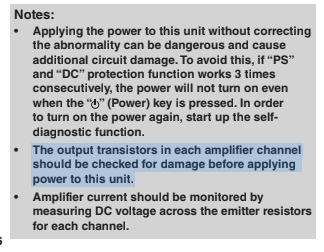
It's the transistors! ...Which transistors? I looked around more in the service manual and finally stumbled upon the perfect diagram for my situation:
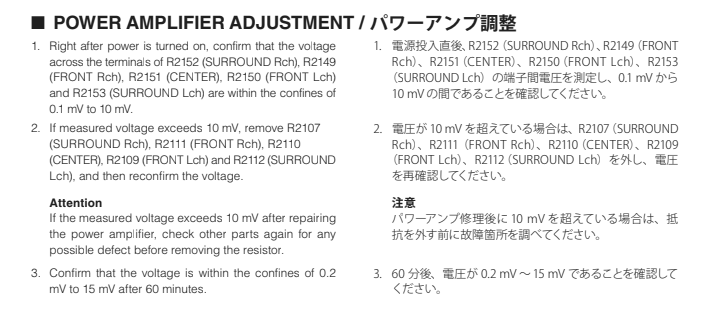
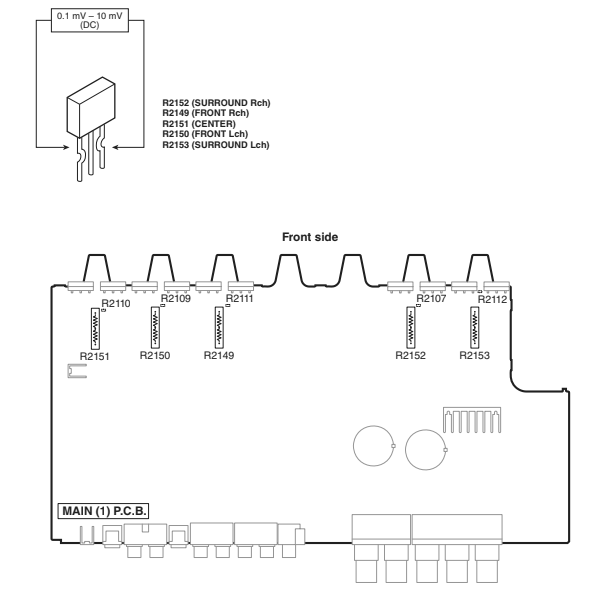
This image is identical to how the AMP looks in the unit (squiggly line and everything). So it seemed that I needed to look for R2107 and test it out. Looking on the schematic itself, that points to a resistor which didn't make a lot of sense if I was looking for transistors.
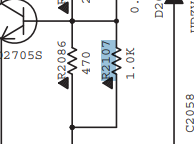
So I kept looking, and thanks to some advice from a friend with more experience, I found what I was looking for: Q2056
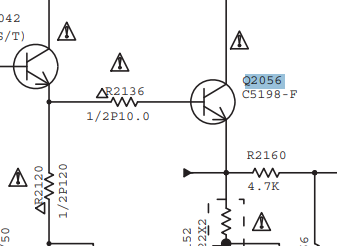
This transistor was labeled on the board in the exact spot shown in the amp diagram above that referenced R2107. Testing this (and its partner transistor) showed that both were shorted out and needed to be replaced. I could tell they were shorted because testing the Base terminal with the Collector and Emitter terminals didn't produce any voltage reading on my multimeter, while doing the same test on other channels' transistors did.
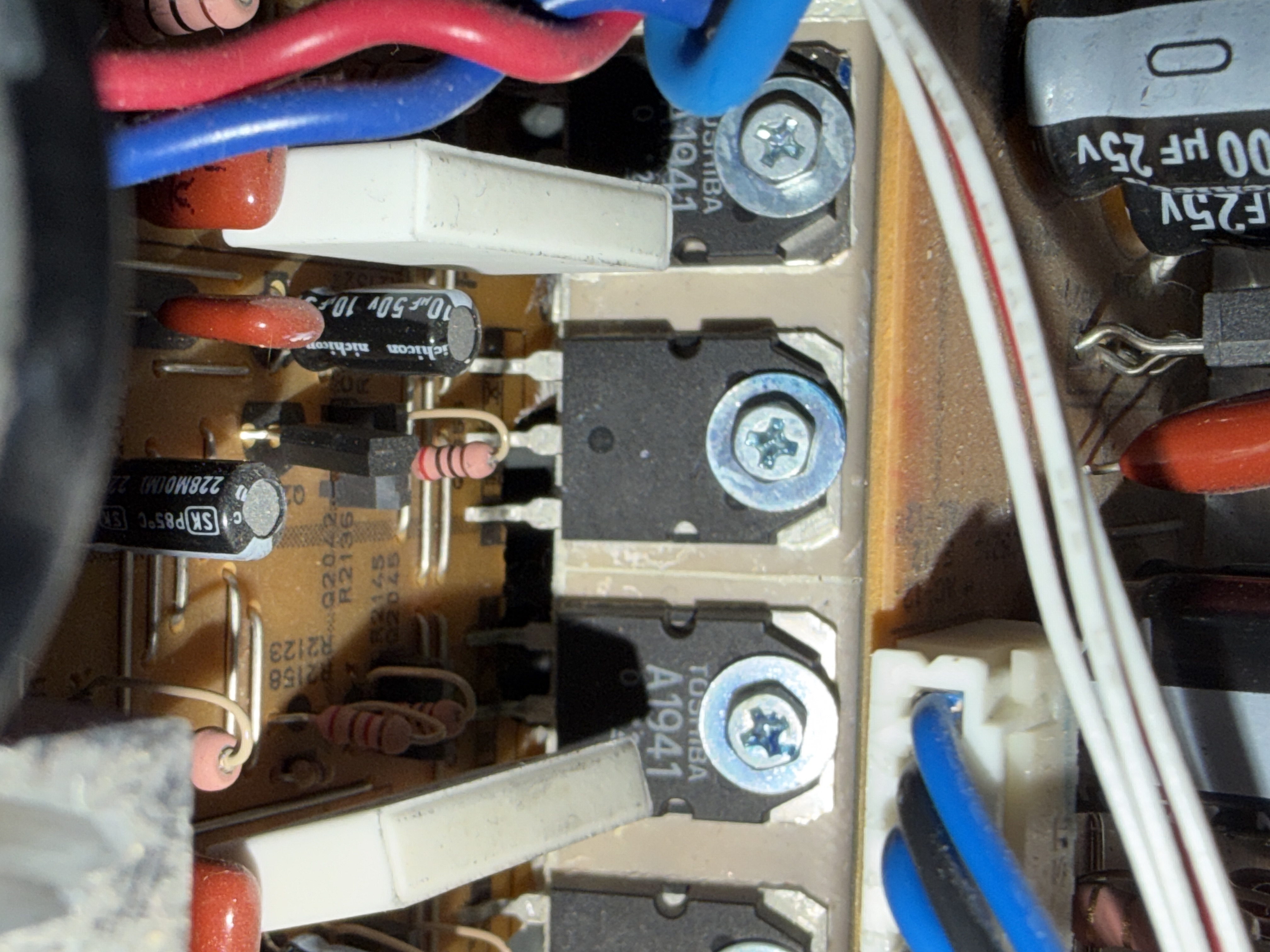
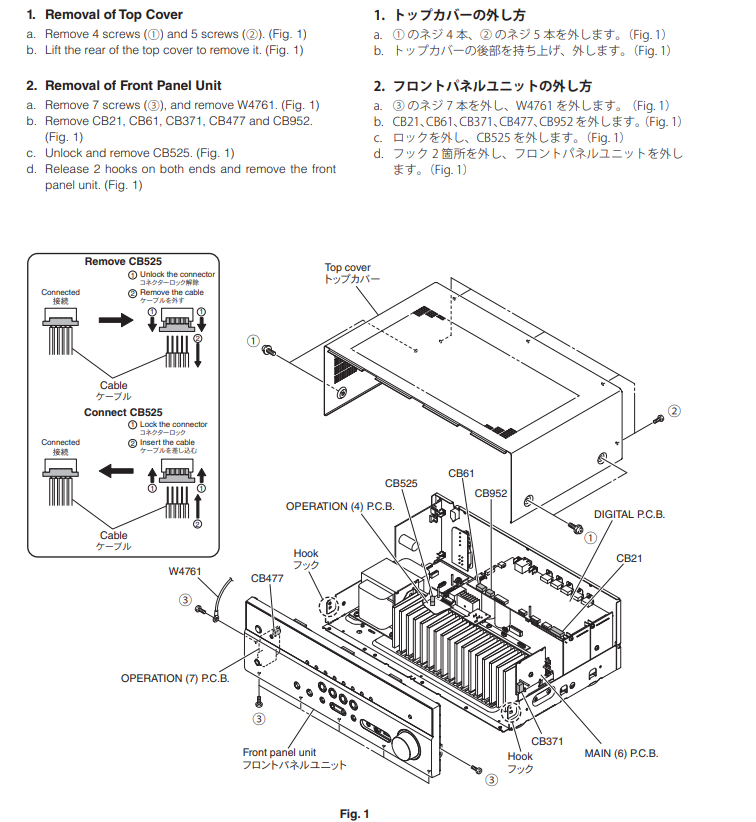
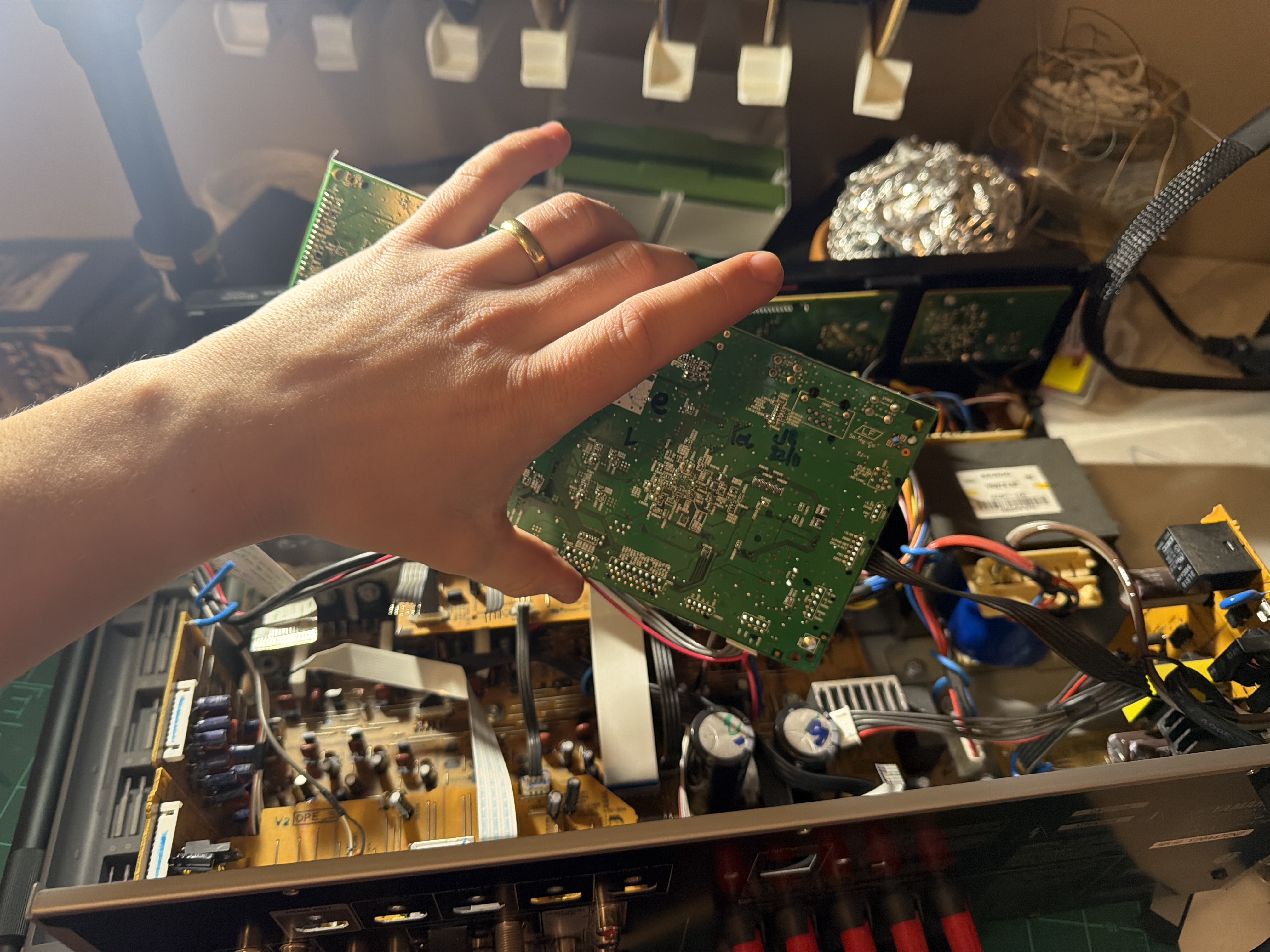
The next step was to order the parts and take apart the reciever to install them. Luckily, the manual also had a guide on how to take apart the unit, and by this point I had already disassembled enough of it to feel comfortable moving forward.